CityGML Production Fully Compliant
with TKGM Standards
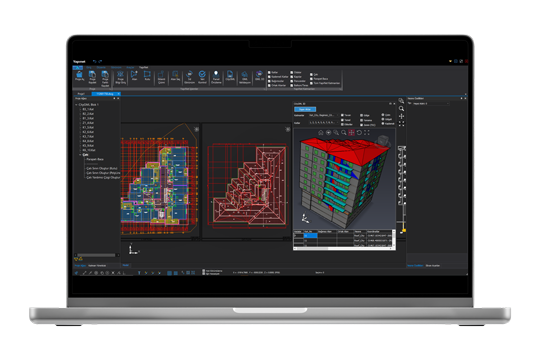
Projects created with Yapınet are fully compatible with the standard 3D drawings, databases, and layer structures specified by the General Directorate of Land Registry and Cadastre for the CityGML file format.
3D Graphics on Display:
Practical and Fast CAD Tools
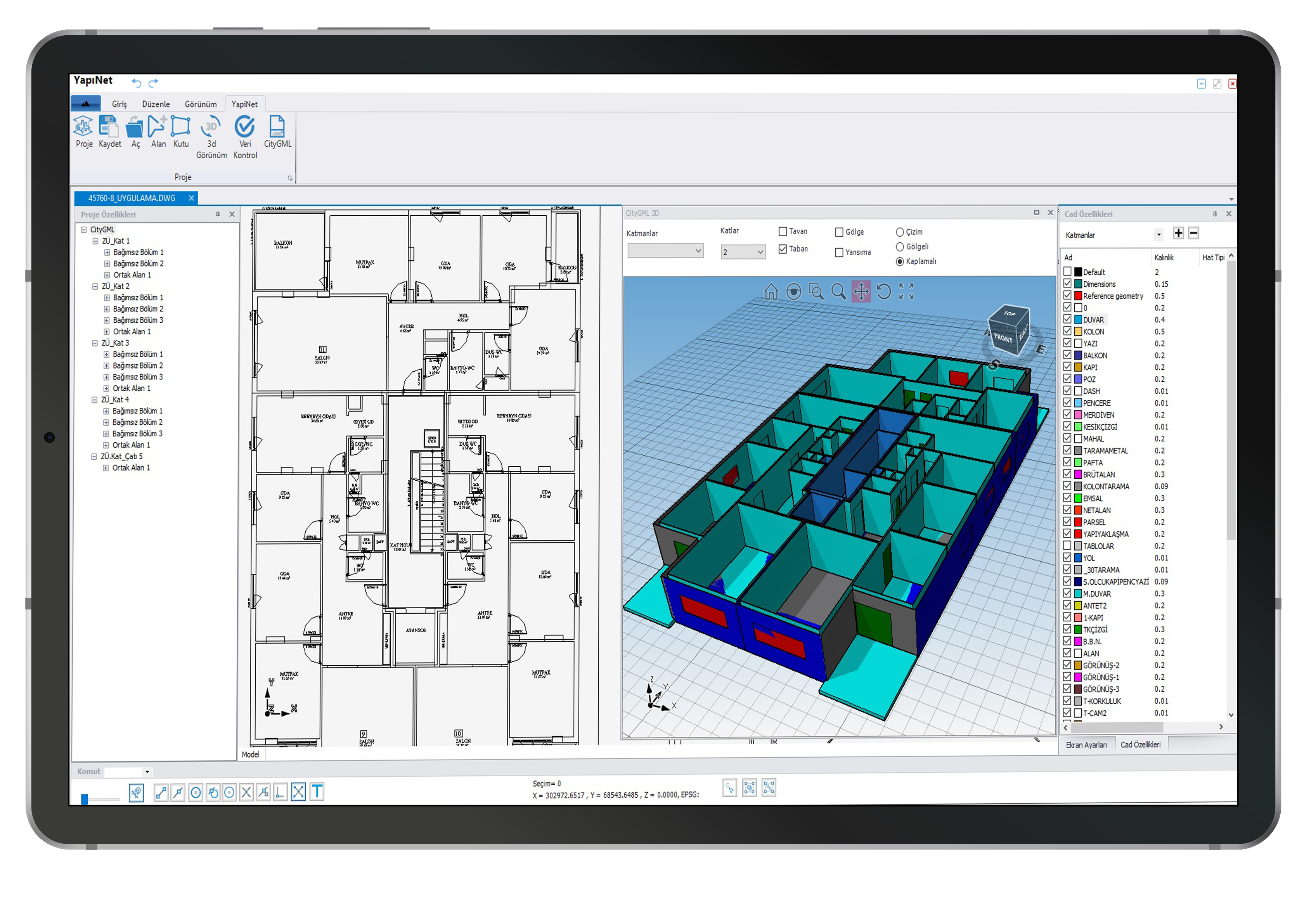
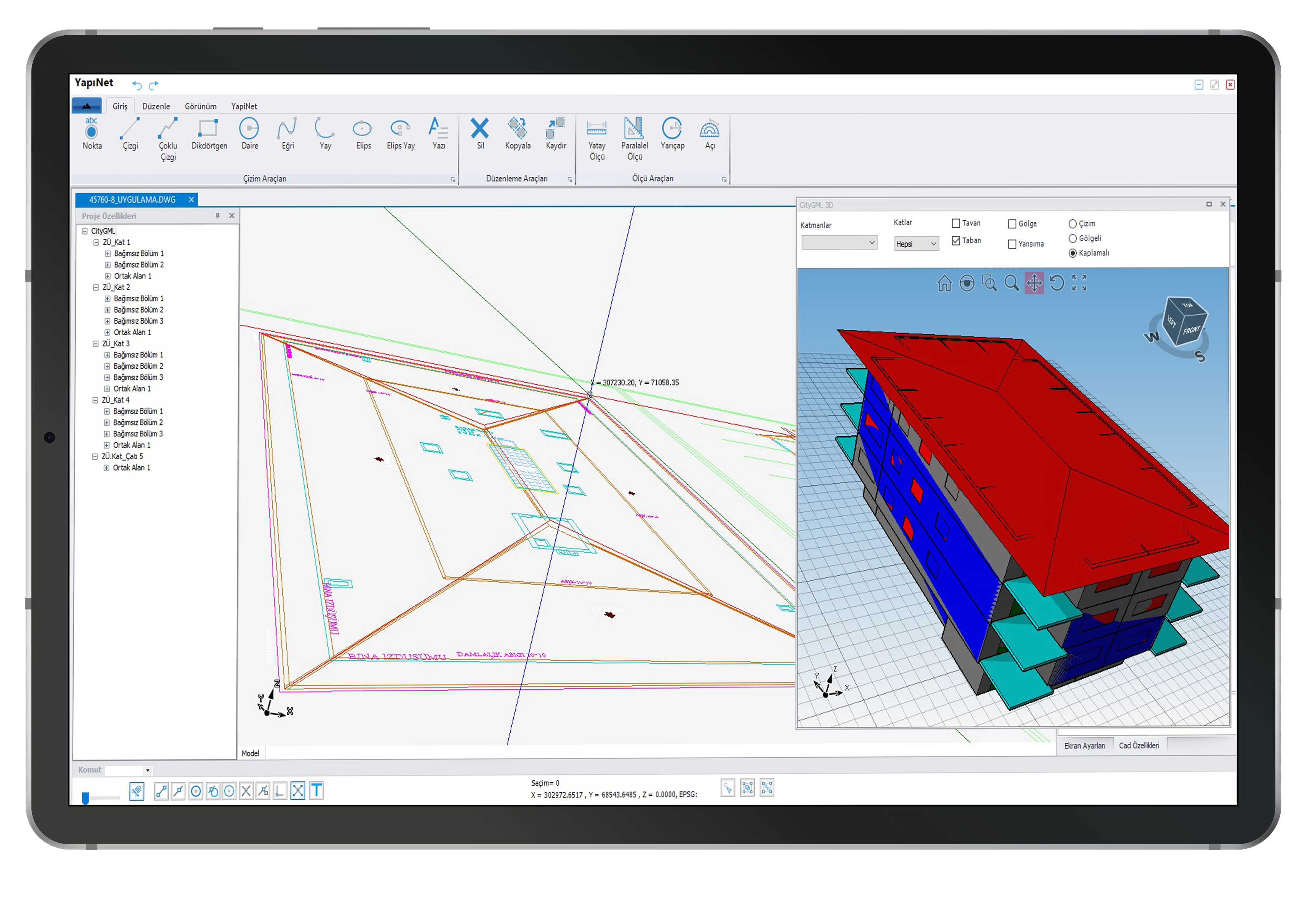
With Yapınet, you can perform all your drawing operations in 3D, instantly view the completed drawings in 3D, and query and edit 3D objects. You can dynamically convert your two-dimensional architectural drawings to appropriate standards and instantly view them in 3D. Thanks to its user-friendly and easy-to-use interface, you can quickly produce your projects.
Customized Smart Editors for All 3D Cadastral Operations
Easily complete all the project steps required for generating three-dimensional cadastral data thanks to smart editors specifically designed for this purpose.
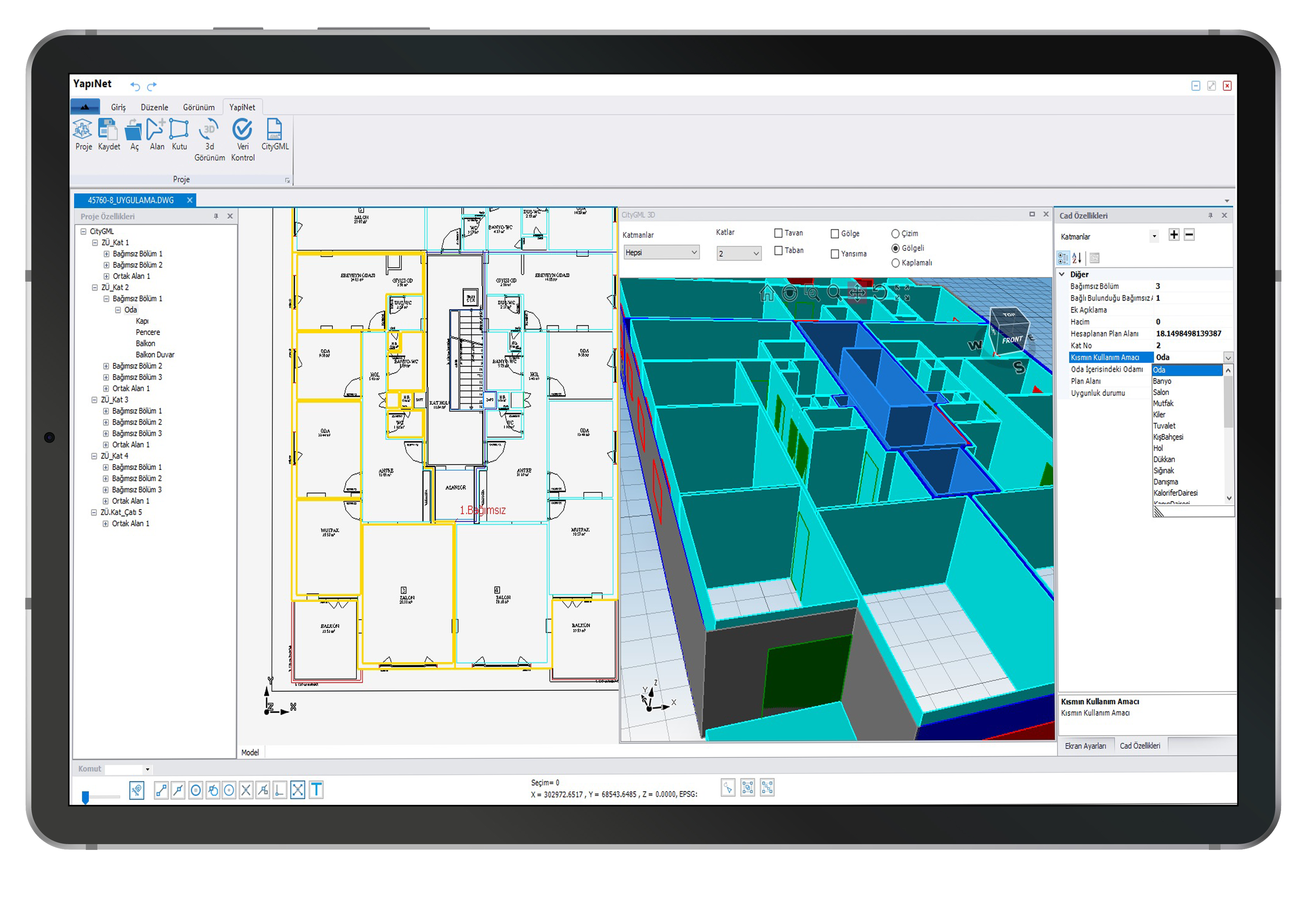
Project Tree Structure and Practical Working Methods
With the tree structure working system, project phases can be tracked more quickly and changes can be made rapidly. This system, developed specifically for Yapınet, makes 3D cadastral processes much easier to manage.
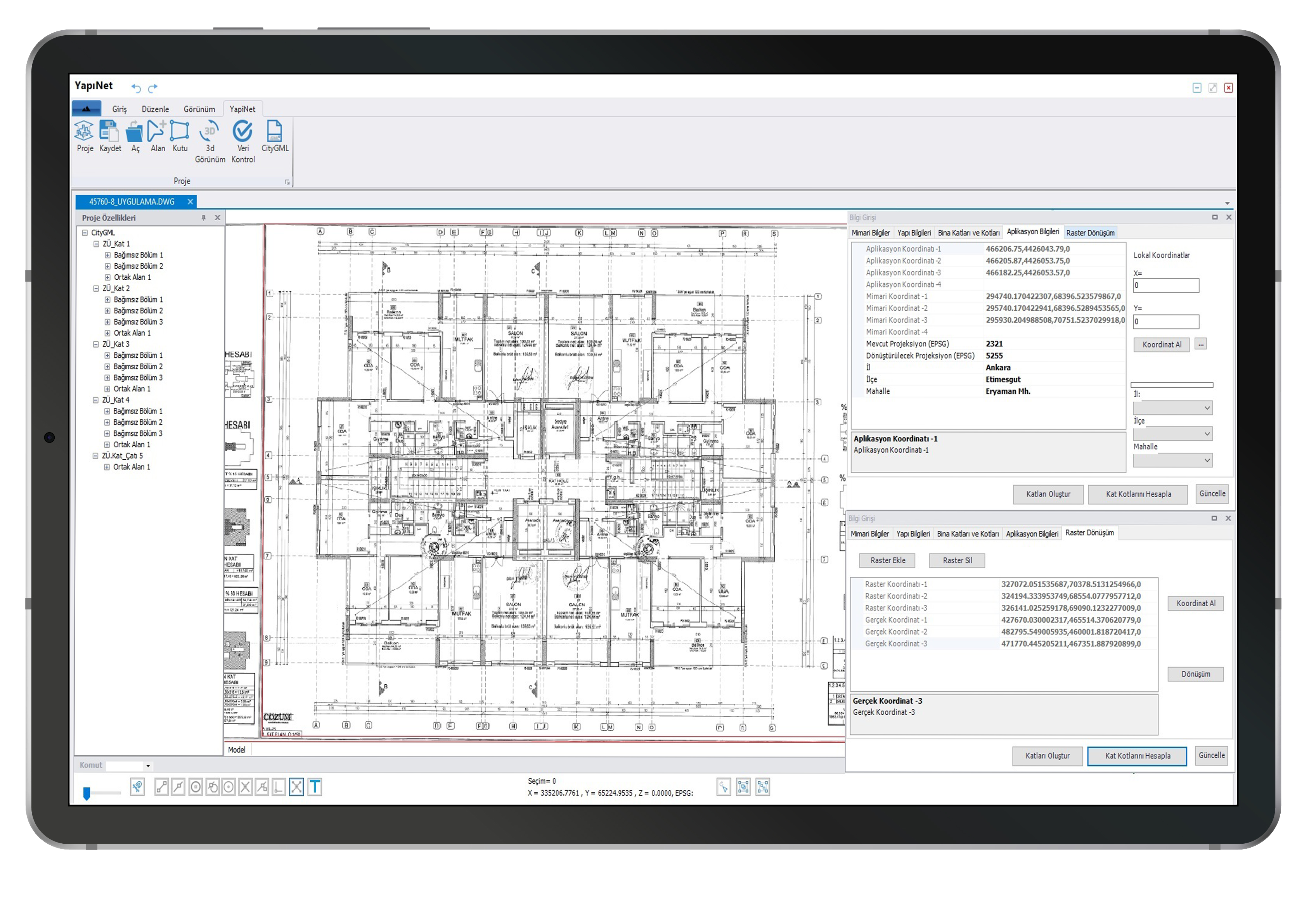
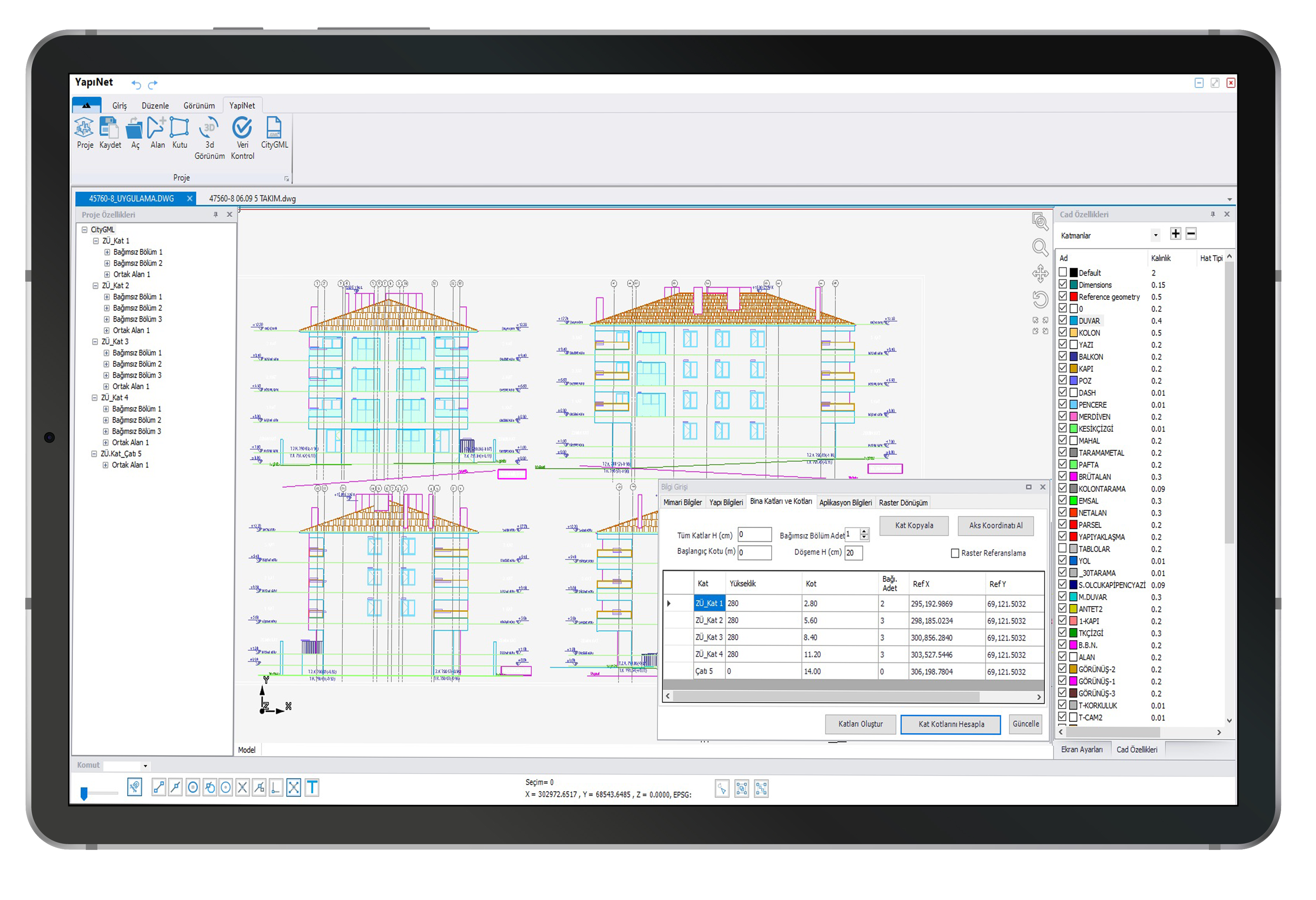
Automatic Scaling, Georeferencing, and Raster Correction Options
Perform automatic referencing using your Building Application project, automatically correct production-related errors by scanning floor plan rasters, and quickly and easily reach the result with automatic and fast affine transformations, without scaling.
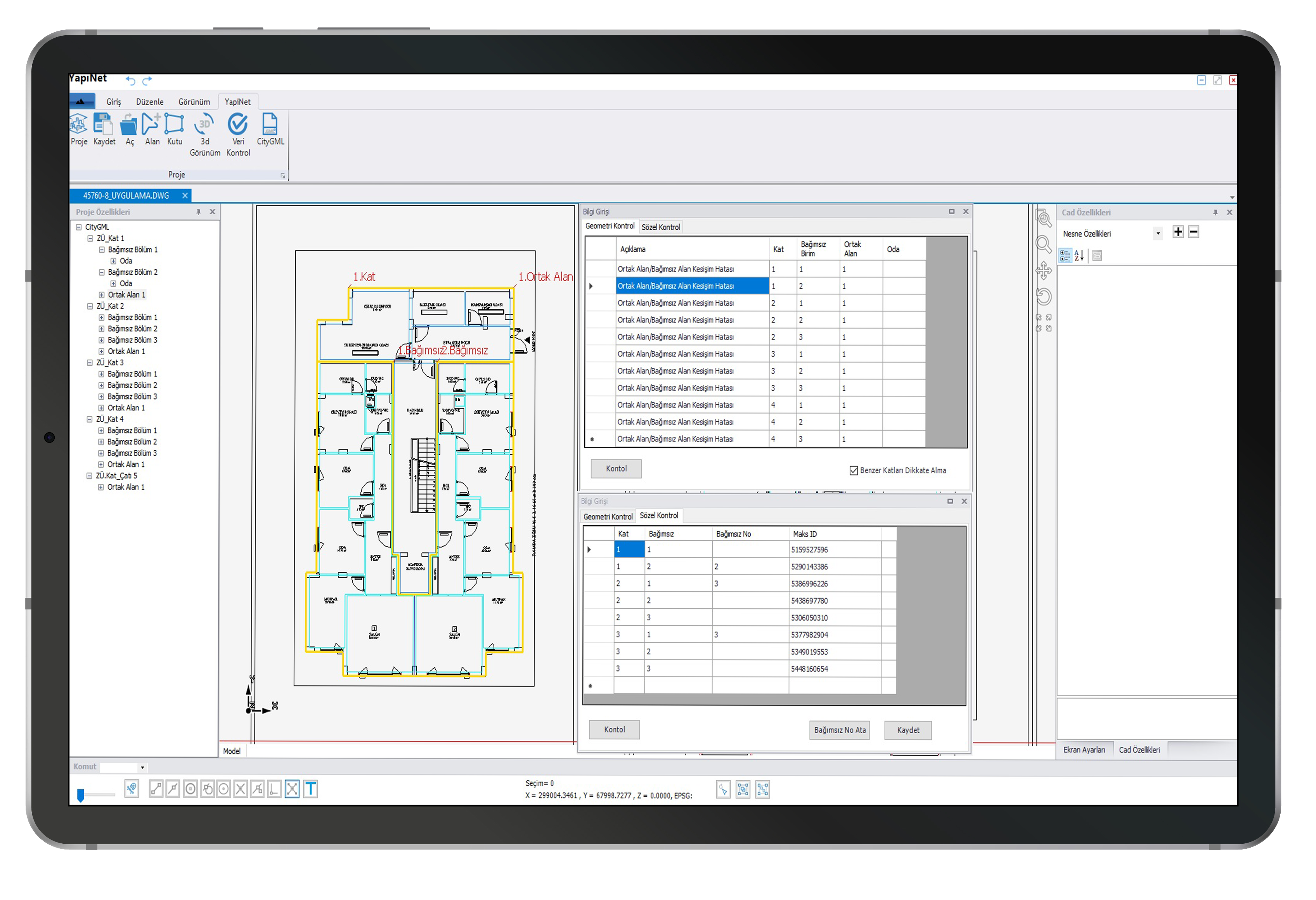
Project Control Functions
With Yapınet, you can perform topological and feature checks at every stage of the projects you create, report the check results, and revise your project based on these reports.
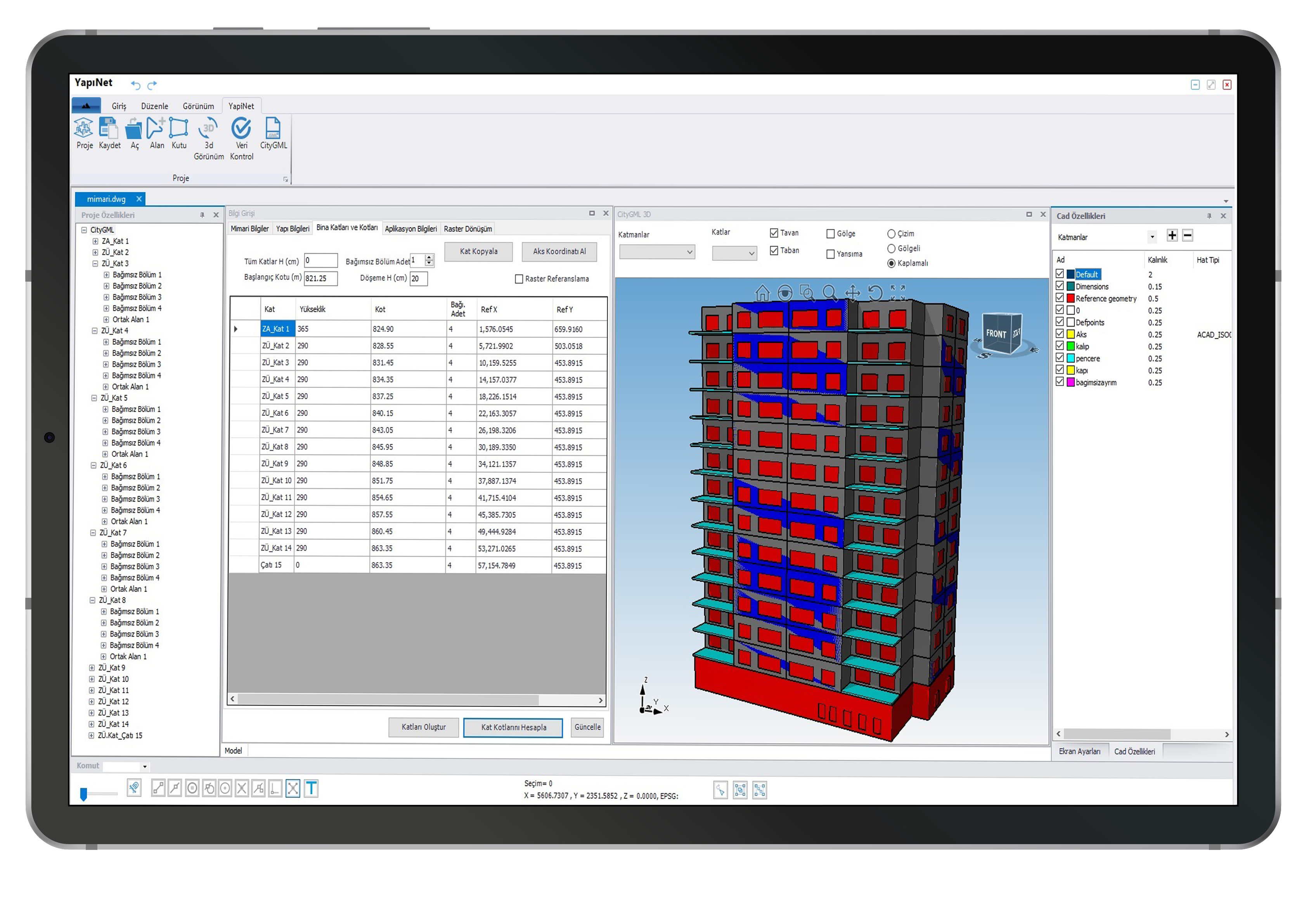
Fast Project Completion with Floor Copying
Using Yapınet automatic floor copying function, you can automatically create floors with the same floor plan.
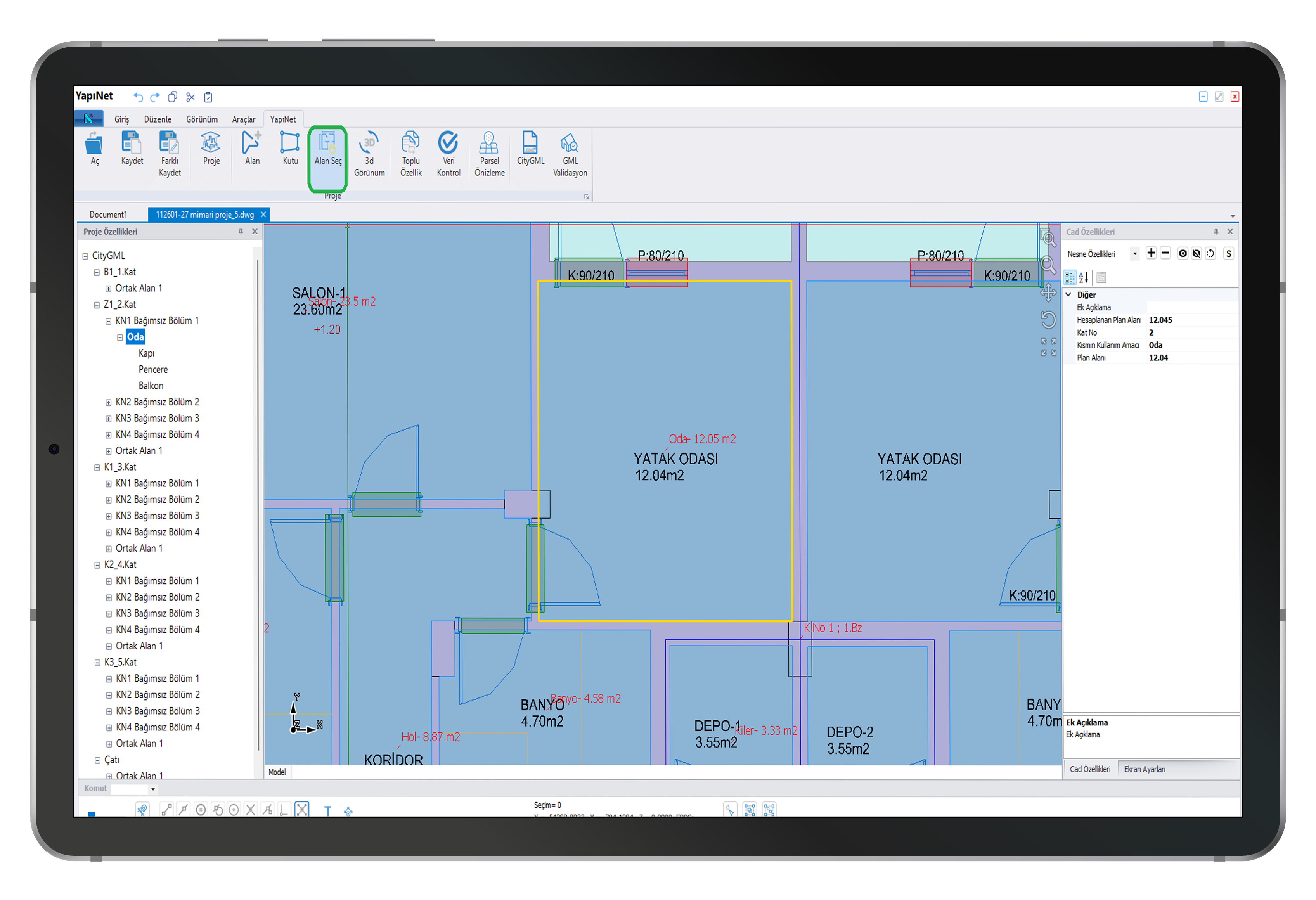
Automatic Conversion of CAD Objects to City Objects Using the Area Selection Process
It is now possible to convert closed CAD objects, previously created in a CAD environment, into City objects, either individually or in bulk.
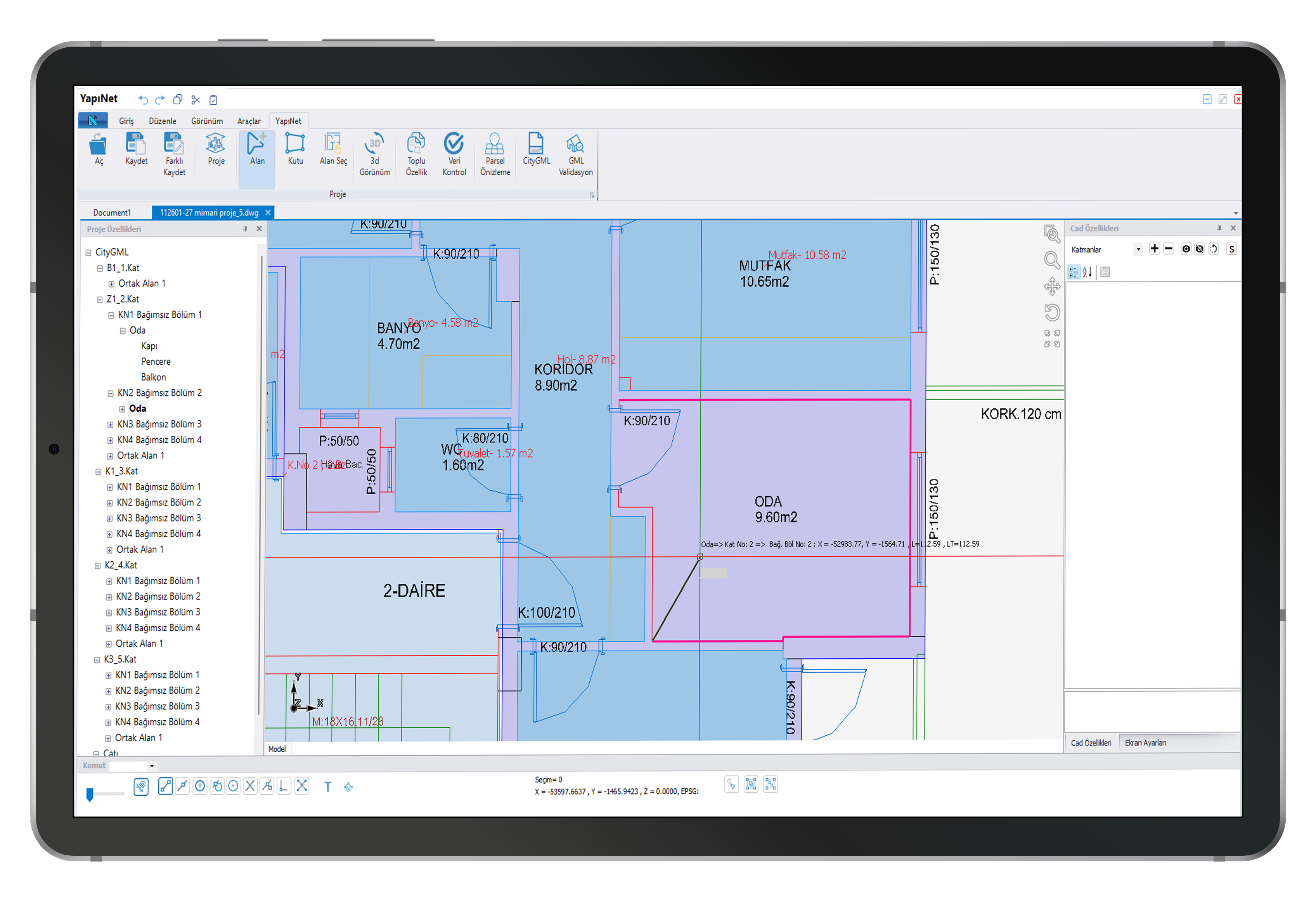
Easy-to-Use Drawing Tools
During the drawing process, the drawing was highlighted and transparent hatching was added to the completed objects.
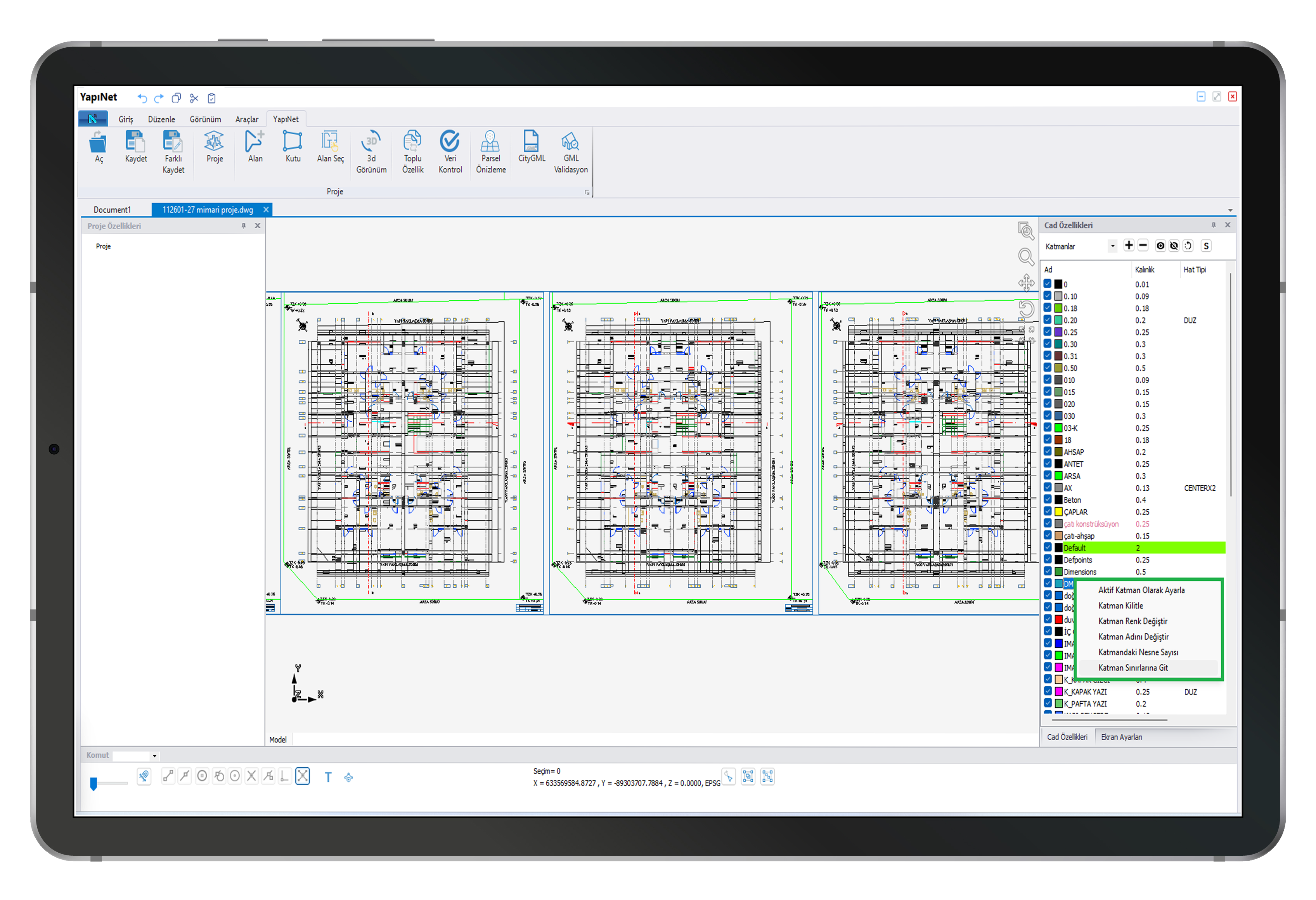
Layer Management Tools for Complex Architectural Projects
Yapınet's new layer management tools enable the organization of complex architectural projects.
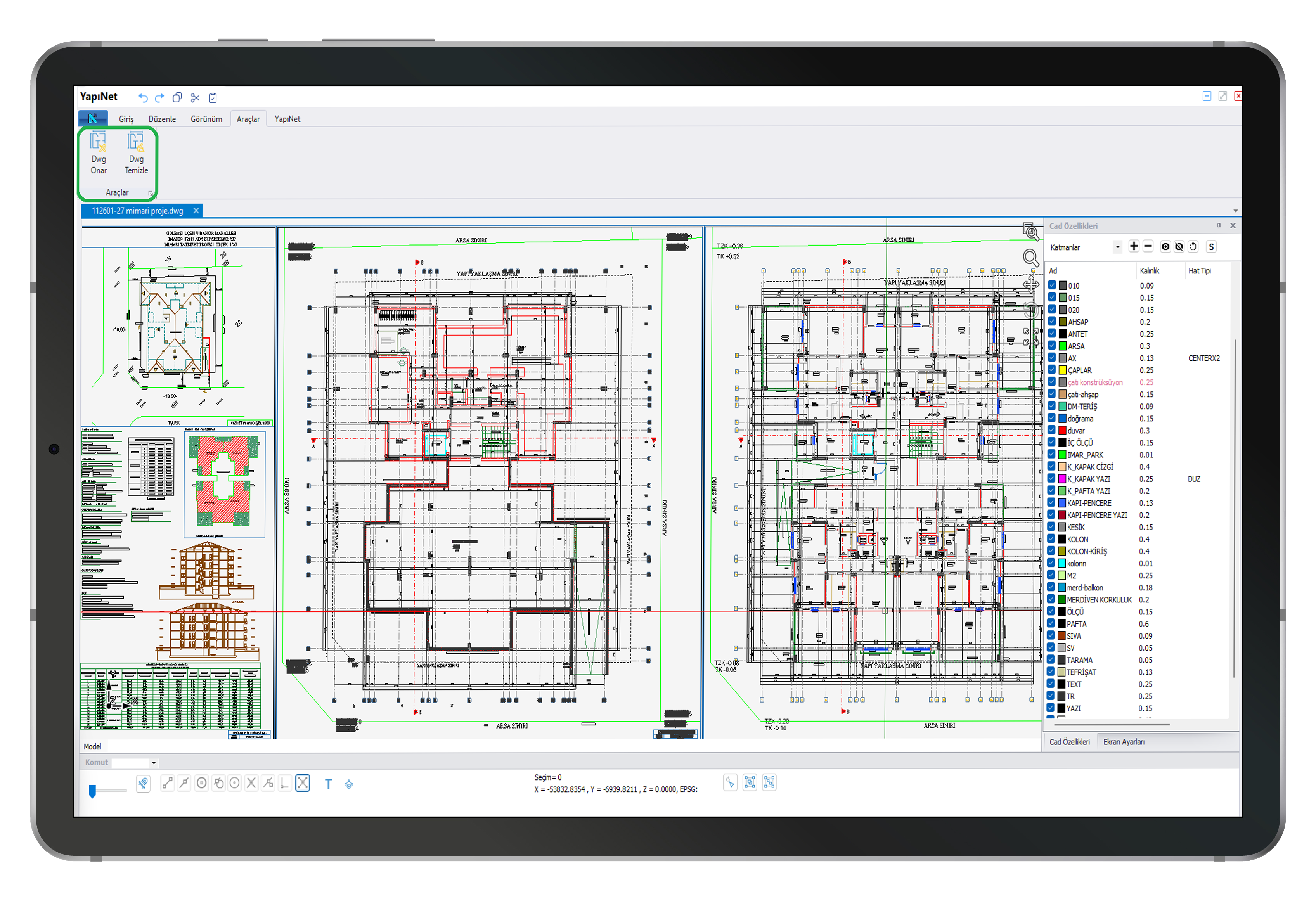
Automatic Revision of Tilted Architectural Projects Containing Numerous Empty Layers and Blocks, Far Removed from the Original
With the Repair and Clean DWG processes, faulty projects can be automatically edited to create City GML files.
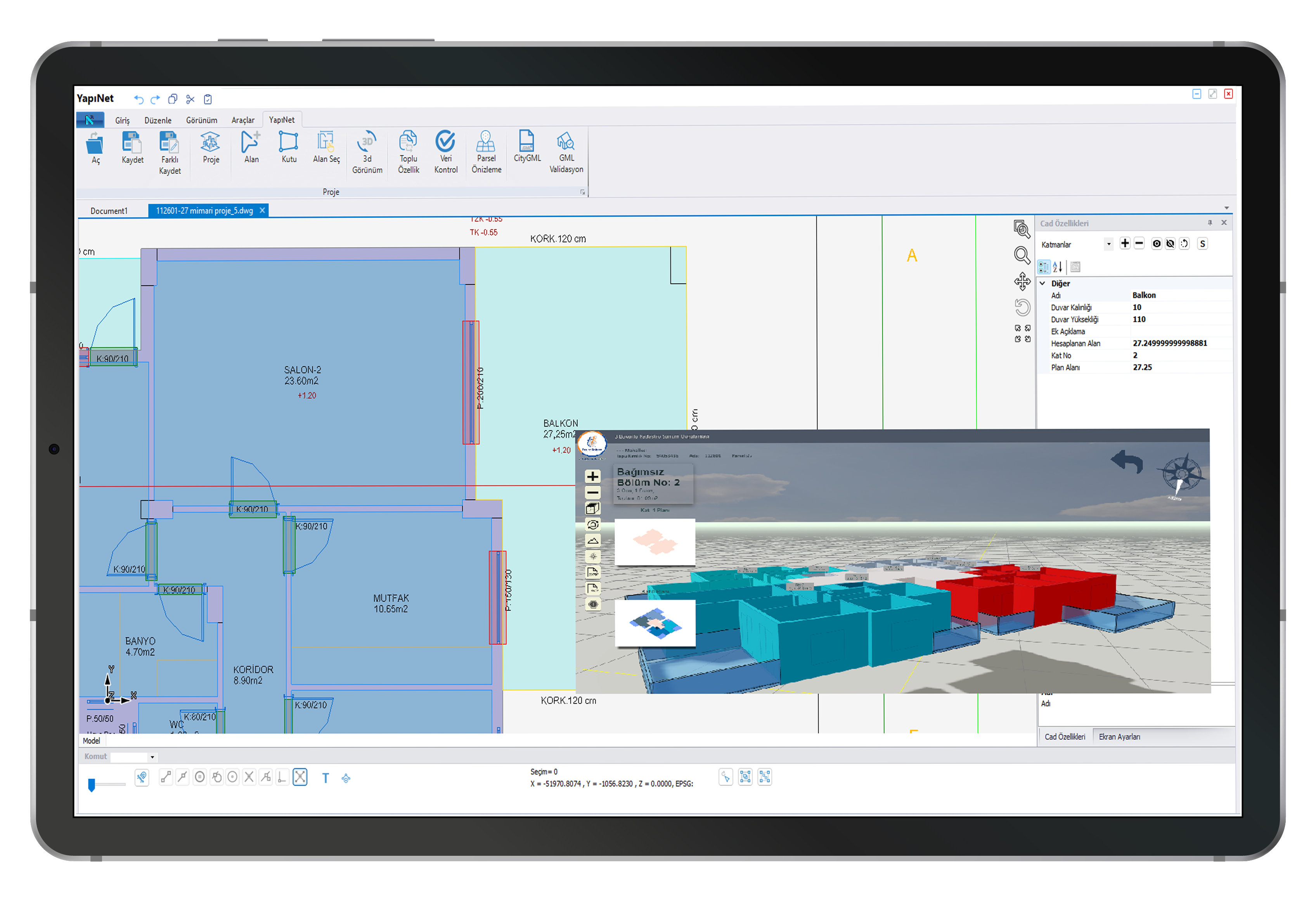
Automatic Balcony Wall Drawings
With Yapınet, balcony wall drawing is now automated, speeding up projects.
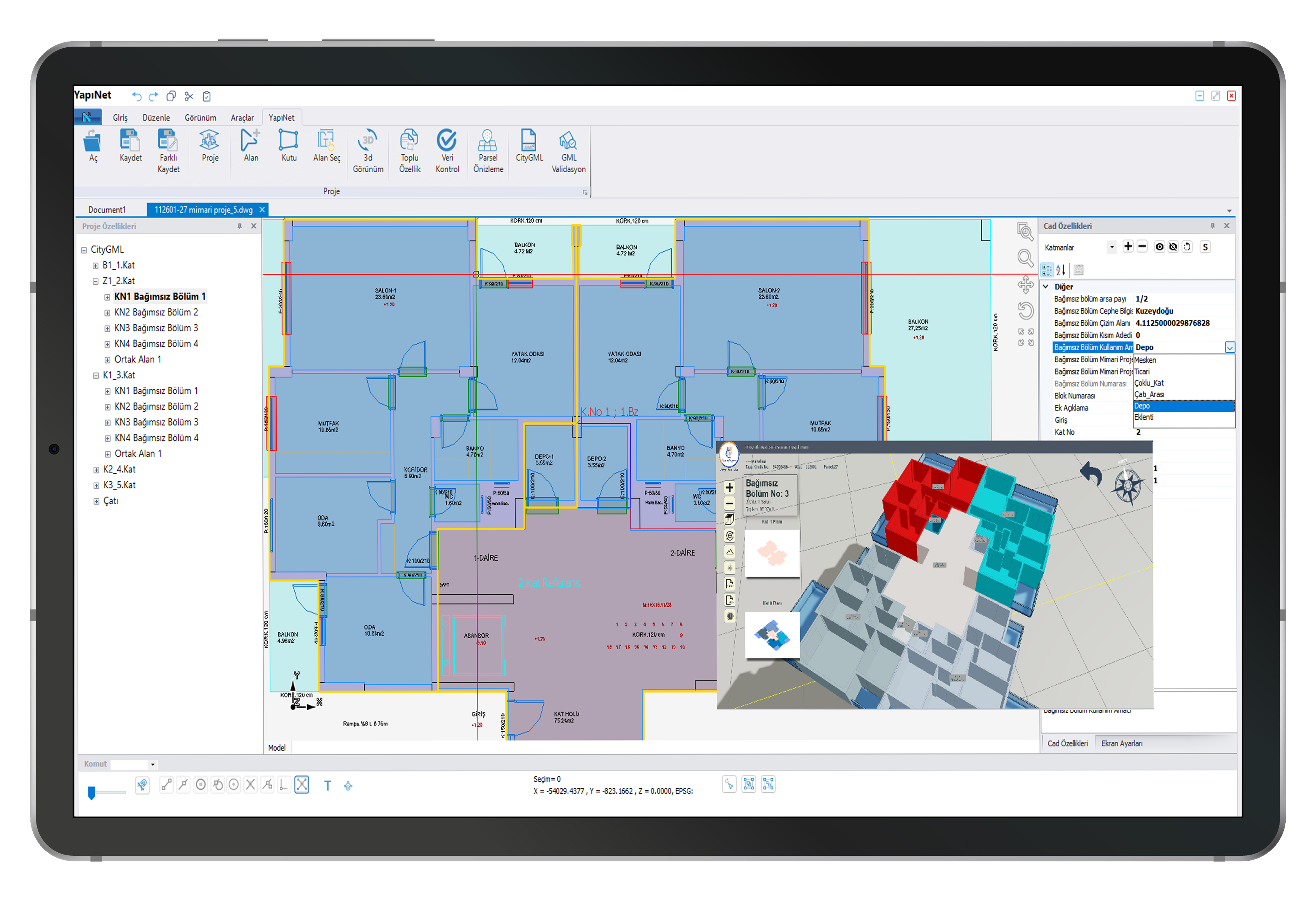
Transferring Independent Section Annexes to GML according to TKGM Standards
CityGML generation and error-free validation in accordance with the latest changes published by TKGM (Turkish General Directorate of Land Registry and Cadastre).
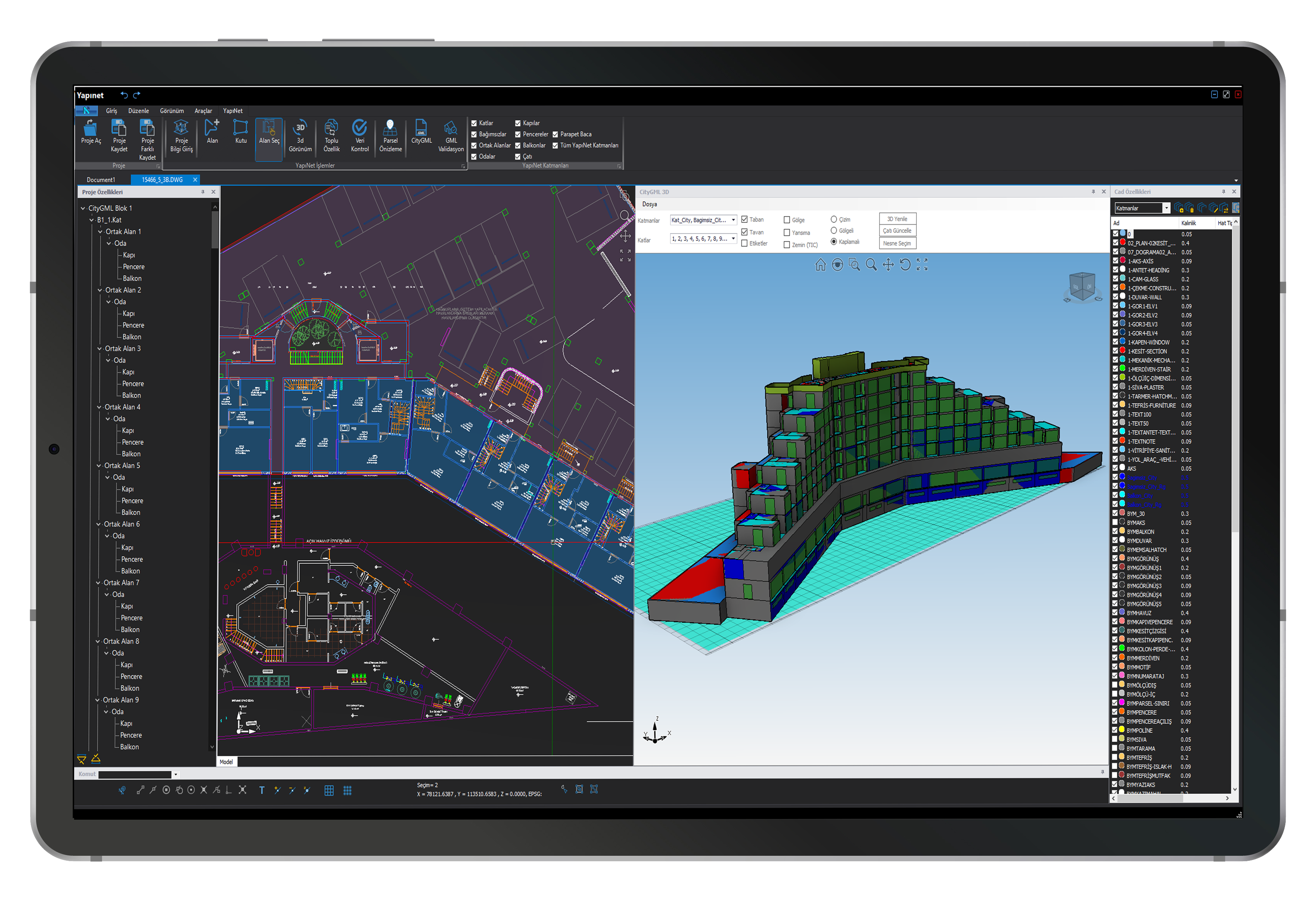
Designing Different Types of Unique Architectural Designs
CityGML enables the production of buildings with flexible and unique architectural designs, such as single-block residential structures with adjoining ground floors only, buildings of different types with multiple entrances at the same floor number, multi-block residential complexes, perforated residential types within floors, attic residences, and commercial shops.
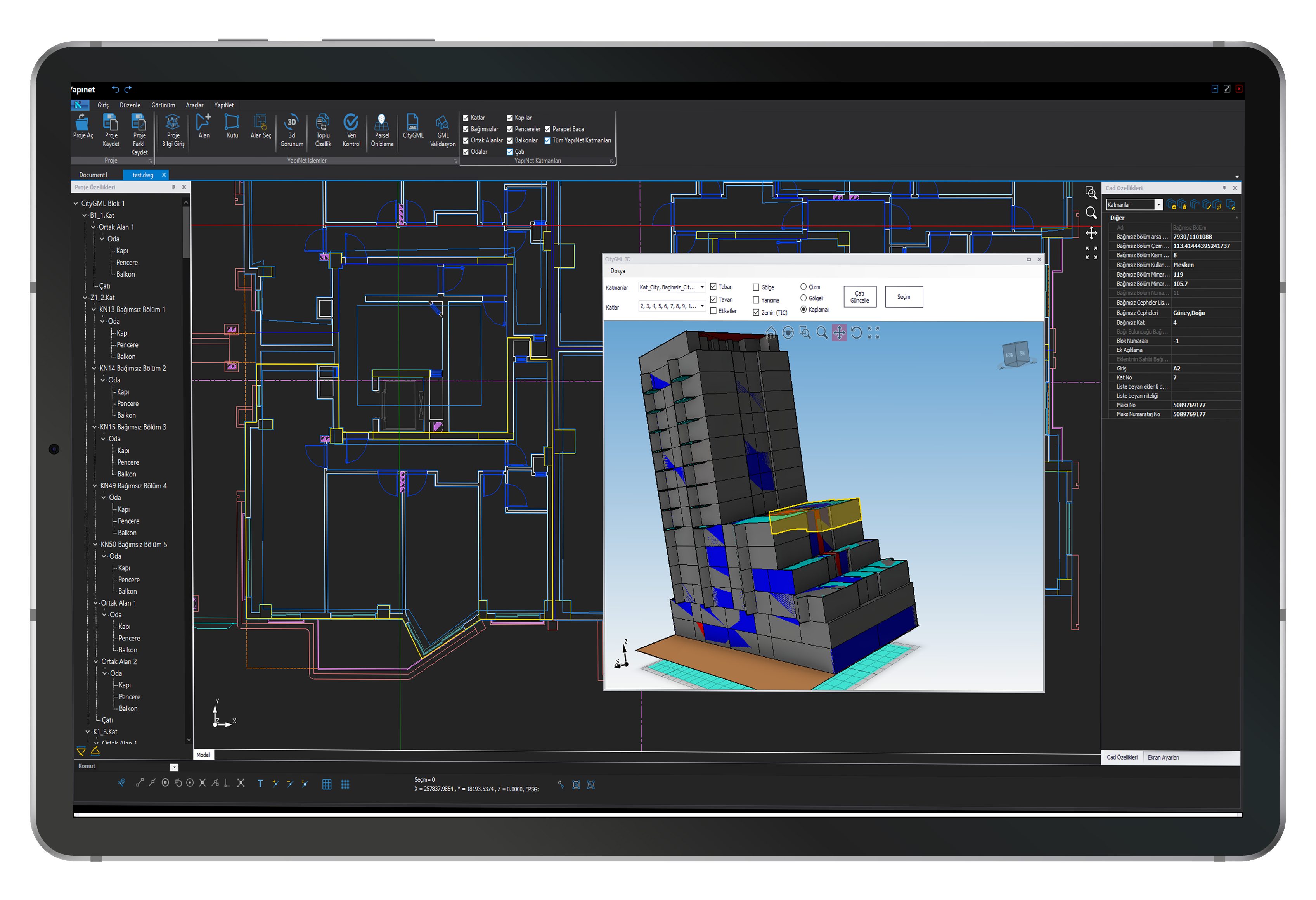
Displaying Selected Objects in the 3D Window on Floor Plans
Objects selected in the 3D window can be displayed on the floor plans, allowing for controlled and real-time verification from the beginning of the project.
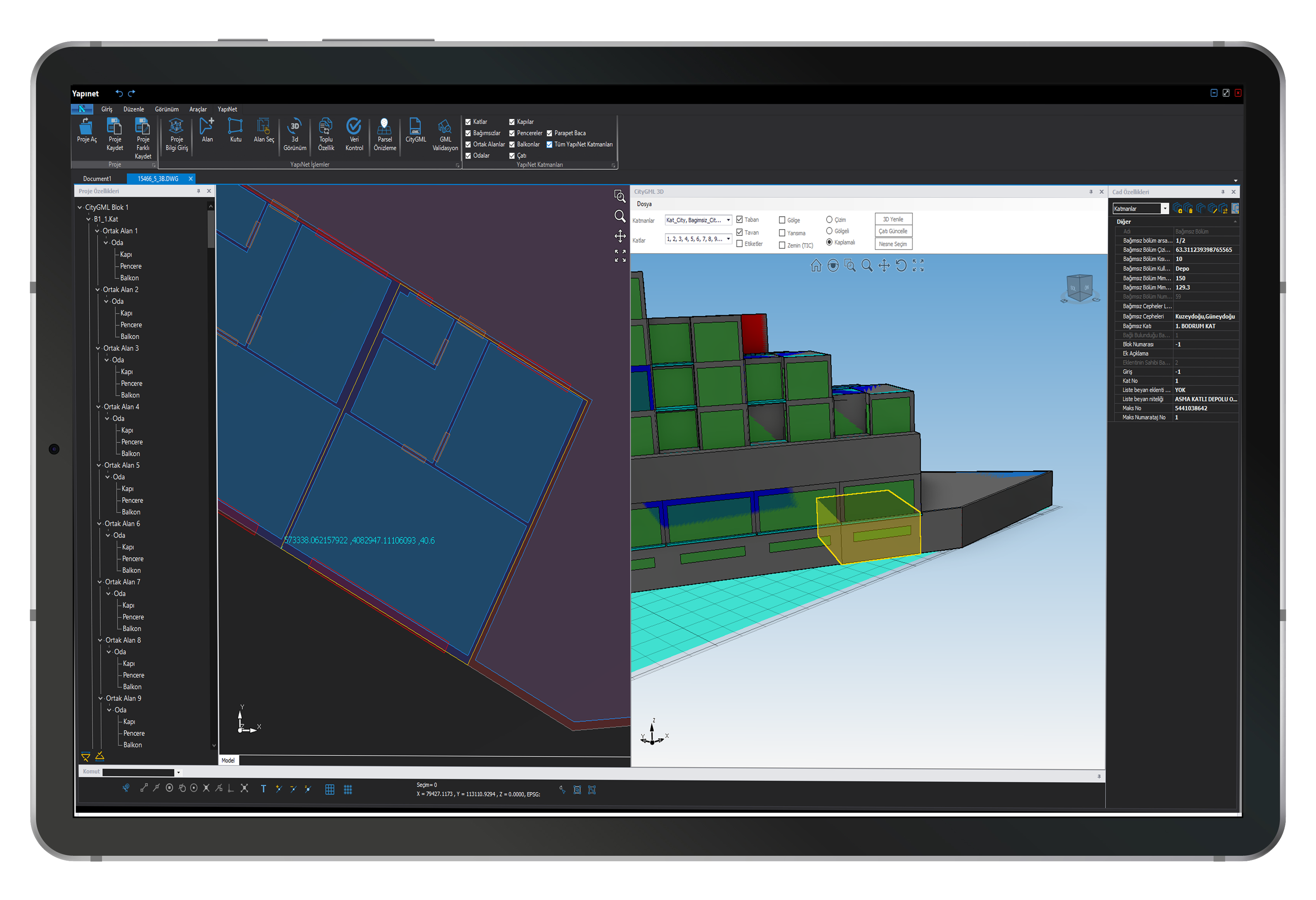
Showing the Location of Coordinates of Incorrect Objects in the Project
Validation errors in projects can now be viewed directly on the Yapınet project page. This makes it easier to identify and correct errors. The coordinates of the faulty object can be monitored graphically.
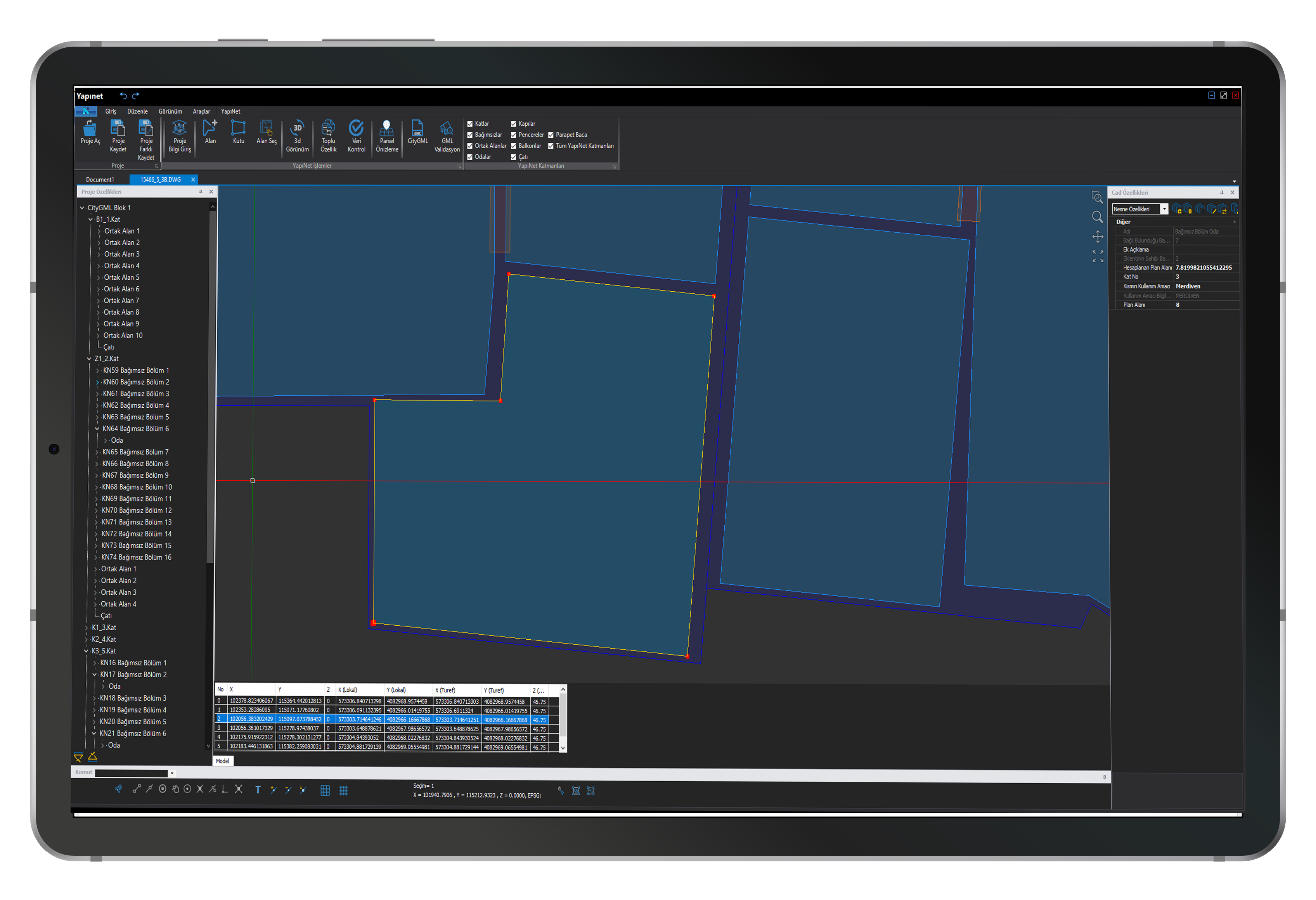
Monitoring Points of the Selected Polygon with the Coordinate List Screen
The Coordinate Table, which provides a comparative presentation of the Building Application Project Projected Coordinate List, TKGMCityGML Projected Coordinate List, and Floor Plan Coordinate List, allows for the verification of vertex points belonging to the selected polygon. This enables the identification of coordinates associated with erroneous objects.
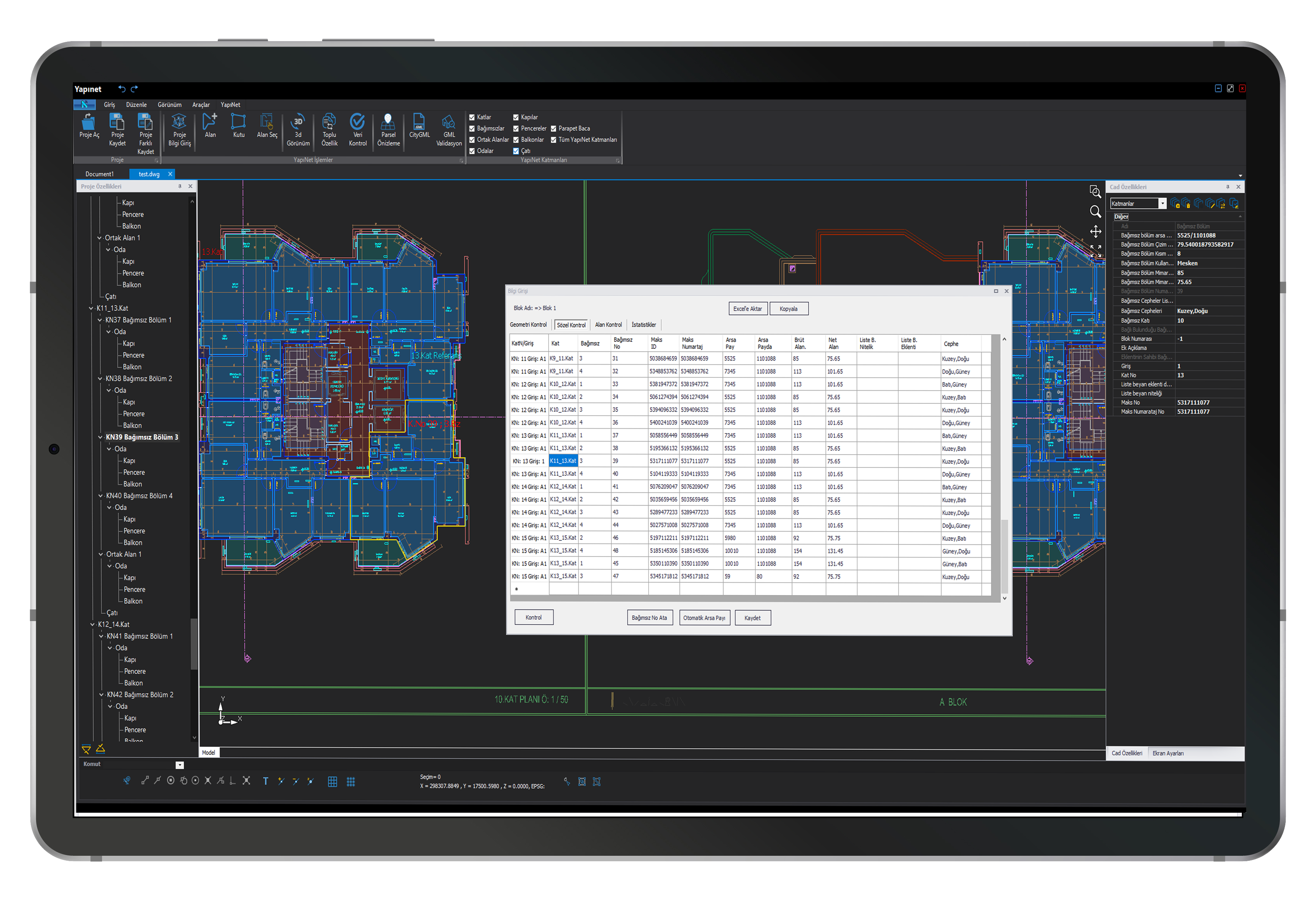
All Attributes of Independent Sections in the Verbal Control Editor
All attributes of independent units can be viewed and edited on the Graphic screen within the Verbal Control Screen, exported to Excel, and the changes made here can be copied or modified.
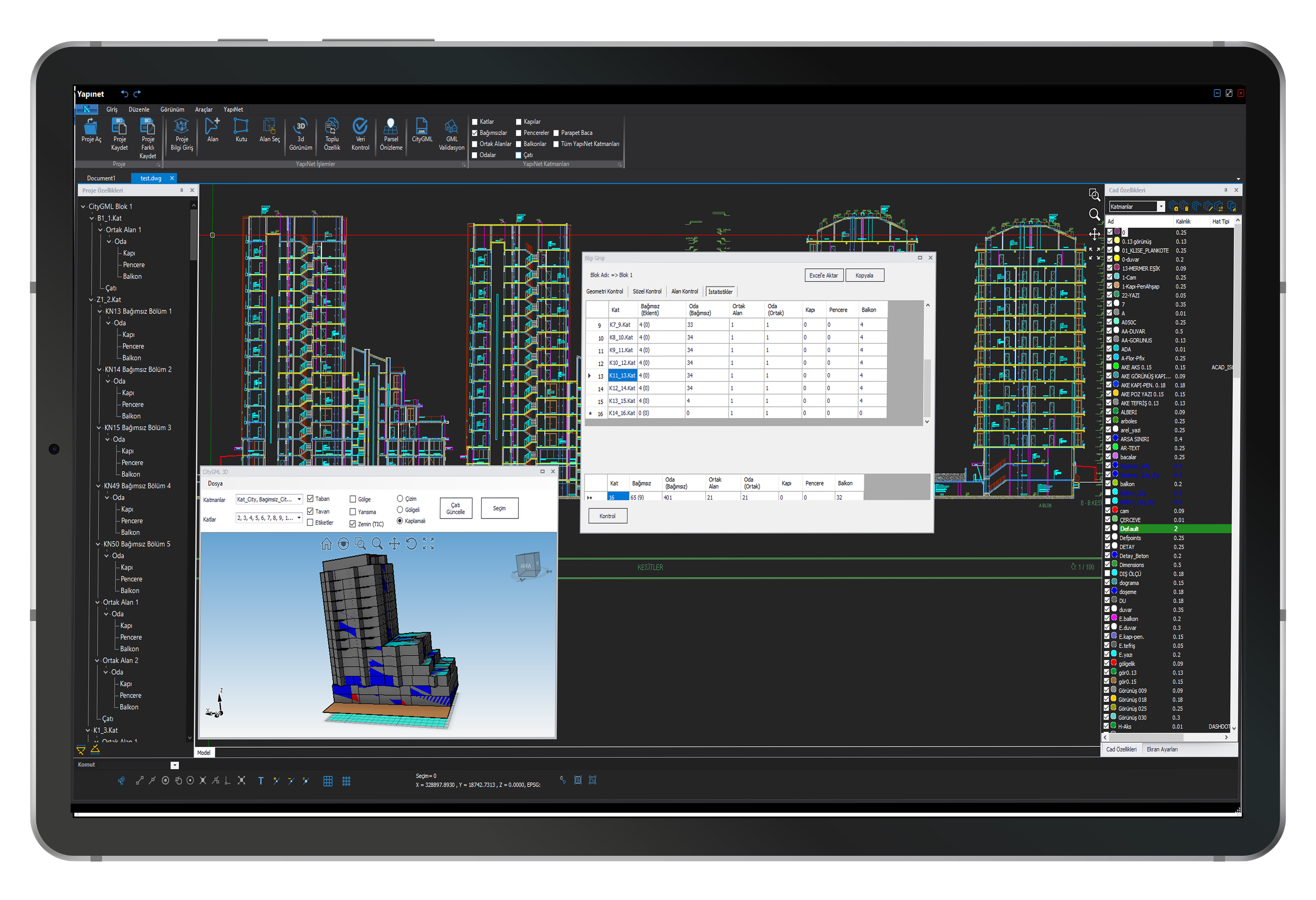
Data-Controlled Object Statistics
Statistics for digitized objects are automatically generated, allowing access to data such as the number of independent units, rooms, doors, windows, etc., on each floor, which of these belong to extension drawings, and their totals.
Practical Usage Improvements
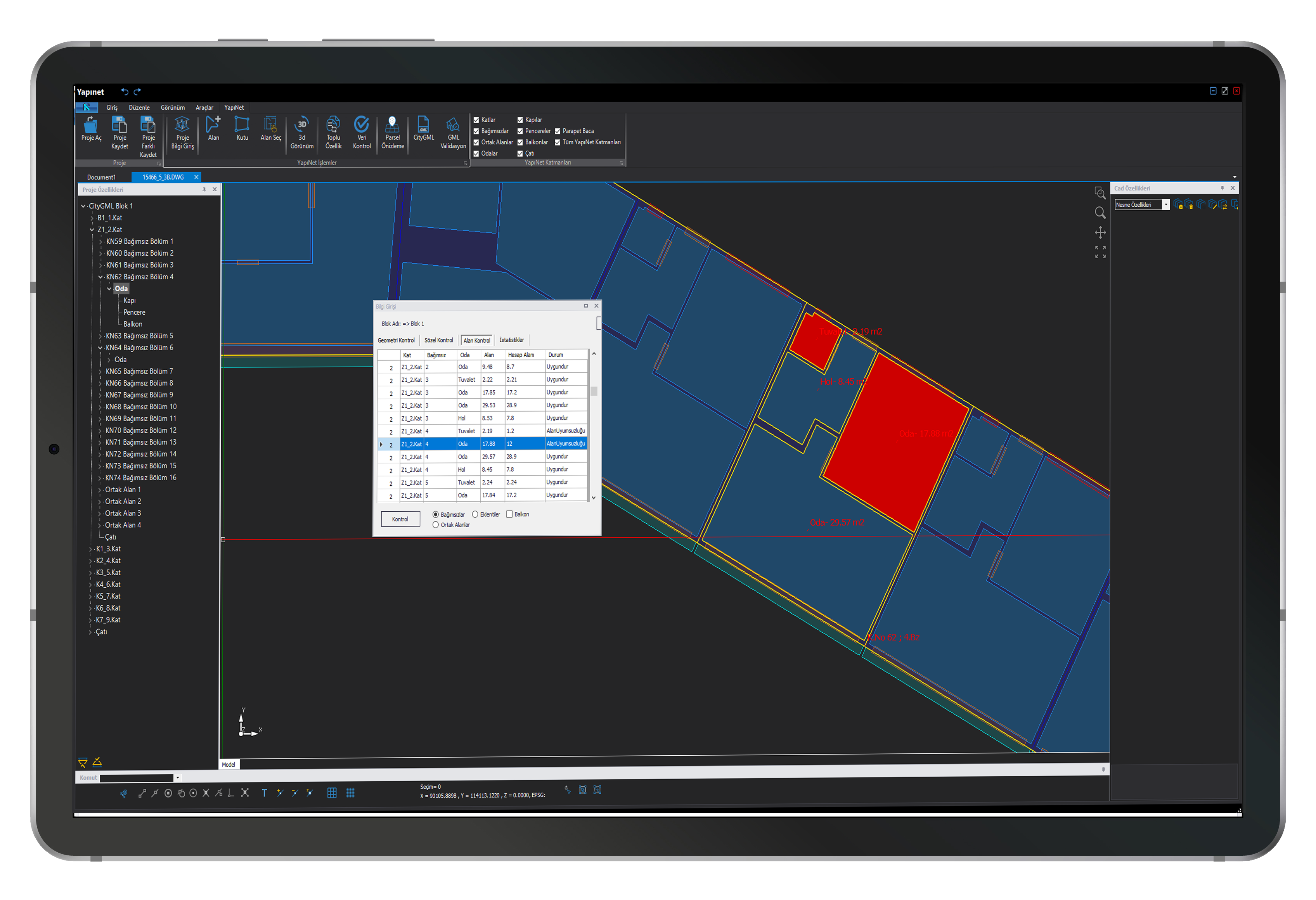
- Highlighting objects with area mismatch using different colors
- Project Tree editing operations
- 3D screen usage in manual roof drawing
- Prominent displays in Snap tools
- Up and Down floor copying option
- Automatic CityGML creation in the project directory
- Layer Management improvements
- Dark Theme usage
- TIC display in 3D screen